
Ahrefs
Unclaimed verified 4 oct 2026AI Marketing Platform Powered by Big Data
TL;DR
Ahrefs is an industry-leading SEO and marketing intelligence platform designed for digital marketers, SEO specialists, and agencies. It helps users discover keyword opportunities, audit site health, monitor competitor rankings, and analyze backlink profiles. Its key differentiator is its massive 24/7 web-crawling infrastructure and multi-trillion backlink index.
What Users Actually Pay
No user-reported pricing yet.
Our Take
Ahrefs maintains a dominant market position in the organic search and competitive intelligence space, alongside competitors like Semrush. Where Semrush has pursued broad digital marketing expansion into social posting and PPC automation, Ahrefs has historically focused on core search mechanics, backlink discovery depth, and technical SEO hygiene. The recent integration of AI search tracking and MCP support underscores its evolution toward tracking emerging LLM and generative search engines alongside traditional SERPs. The platform's main strengths lie in the reliability of its Keyword Difficulty metric, comprehensive backlink tracking, Site Explorer granularity, and well-designed user interface. It provides actionable content gap analyses and diagnostic audit logs that make technical SEO fixes and competitive benchmarking straightforward. However, Ahrefs faces consistent criticism regarding its pricing structure and usage caps. The introduction of credit-based consumption and strict per-seat billing can lead to unpredictable expenses for fast-growing agencies or teams running high-volume site audits. Furthermore, unlike full-lifecycle PR tools, it lacks native automated email outreach workflows for link acquisition. Ahrefs is best suited for dedicated SEO agencies, in-house technical and content SEO teams, and data-driven marketing organizations that demand industry-standard backlink accuracy, deep SERP analytics, and programmable API/MCP access.
Alternatives
Ranked by Revuo score — paid tiers never affect order.
SE Ranking
AI SEO Software That Gets Results

Peec AI
AI Search Analytics for Marketing Teams

OtterlyAI
AI Search Monitoring Tool: Track ChatGPT, Perplexity & Google AIO

Semrush
Data-Driven Marketing Tools to Grow Your Business

Profound
Optimize Your Brand's Visibility in AI Search

BrandKarma · Revuo-affiliated
AI Visibility and SEO for e-Commerce
Pros
- + Industry-leading backlink index and historical organic search database
- + Intuitive UI with powerful filtering, content gap analysis, and interactive reporting
- + Accurate keyword difficulty scoring and search intent metrics across global markets
- + Modern AI search visibility tracking and native remote Model Context Protocol (MCP) server support
Cons
- - Restrictive credit-based usage system and high cost per additional user seat
- - No native email outreach or CRM tools for link-building campaigns
- - Absence of a free tier or free trial for standard paid plans
Agent Readiness
74/100Ahrefs provides exceptional agent readiness by offering both a comprehensive REST API v3 with OpenAPI documentation and an official hosted Model Context Protocol (MCP) server. Autonomous agents can directly query Site Explorer, Keywords Explorer, and SERP data via standardized MCP tools or REST endpoints using Bearer token authentication, complete with budget limits and test-mode sandboxing.
Last checked Sep 21, 2026
MCP Integrations
3 servers108 tools24 total usesTrack backlinks, keywords, and site rankings. Analyze competitor domains, audit SEO health, and monitor organic traffic trends.
108 tools
site-explorer-domain-rating-historyRetrieves the historical domain rating data for a specified domain or URL over a defined date range and grouping interval. Use doc tool first to get the real input schema.site-explorer-organic-competitorsRetrieves a list of organic search competitors for a specified website or URL, providing comparative SEO metrics such as common keywords, traffic estimations, and domain strength for a chosen country and date. When analyzing a domain name, you must use mode=subdomains. Using mode=domain can exclude www and other subdomains. Use doc tool first to get the real input schema.rank-tracker-overviewProvides an overview of tracked keyword rankings and related search metrics for a specified project and date, with support for historical comparison, filtering, column selection, and device type. Use doc tool first to get the real input schema.brand-radar-mentions-historyProvides the historical number of mentions for your and competitors's brands in an LLM you specify. Use doc tool first to get the real input schema.brand-radar-impressions-overviewProvides the number of impressions for your and competitors's brands in an LLM you specify, with filters for locations, query text, URL, and more. Use doc tool first to get the real input schema.web-analytics-source-channels-chartReturns time-series chart data grouped by source channel (e.g., organic, paid, social, direct) for a Web Analytics project, showing metrics over time. Use doc tool first to get the real input schema.serp-overviewReturns an overview of the top search results (SERP) for a specified keyword and country, including detailed metrics about each result like position, backlinks, traffic, domain rating, and related keywords. Use doc tool first to get the real input schema.web-analytics-entry-pagesReturns entry page statistics for a Web Analytics project, showing which pages visitors land on first, including visitor counts and entry rates. Use doc tool first to get the real input schema.site-explorer-refdomains-historyProvides historical data on referring domains linking to a specified target (domain or URL) over a defined date range, with customizable grouping and analysis scope. When analyzing a domain name, you must use mode=subdomains. Using mode=domain can exclude www and other subdomains. Use doc tool first to get the real input schema.gsc-metrics-by-countryReturns Google Search Console click metrics grouped by country for a project. Use doc tool first to get the real input schema.docFull documentation for Ahrefs API v3 and the corresponding MCP tools. You must use this tool to get the input schema for any other tool. The documentation is returned in OpenAPI format. It can be used to craft a request to the API v3 directly, or to the MCP server. Online documentation for the Ahrefs API v3 is also available at https://docs.ahrefs.com/docs/api/reference/introductionkeywords-explorer-volume-historyRetrieves historical search volume data for a specified keyword within a given country and date range. Use doc tool first to get the real input schema.subscription-info-limits-and-usageRetrieves subscription information including limits and usage statistics for API units, workspace quotas, and API key details. This endpoint is free and does not consume any API units. Use doc tool first to get the real input schema.brand-radar-sov-historyProvides the historical share of voice for your and competitors's brands in an LLM you specify. Use doc tool first to get the real input schema.web-analytics-languagesReturns visitor data grouped by browser language for a Web Analytics project, showing visitor counts for each language. Use doc tool first to get the real input schema.rank-tracker-competitors-pagesProvides an overview of competitor pages and keyword metrics for a specified project and date in Ahrefs Rank Tracker, allowing comparison between current and previous data. Use doc tool first to get the real input schema.brand-radar-cited-pagesProvides the pages cited in AI-generated responses that mention your brand or competitors' brands in an LLM you specify, including how many responses referenced each page (broken down by brand) and estimated monthly search volume where each page was mentioned. Use doc tool first to get the real input schema.gsc-performance-by-deviceReturns Google Search Console performance metrics (clicks, impressions, CTR, position) broken down by device type (desktop, mobile, tablet) for a project. Use doc tool first to get the real input schema.public-crawler-ipsReturns the list of individual IP addresses currently used by the Ahrefs public web crawler. Use doc tool first to get the real input schema.web-analytics-countriesReturns visitor data grouped by country for a Web Analytics project, showing visitor counts for each location. Use doc tool first to get the real input schema.web-analytics-exit-pagesReturns exit page statistics for a Web Analytics project, showing which pages visitors leave from, including visitor counts and exit rates. Use doc tool first to get the real input schema.site-explorer-pages-by-internal-linksRetrieves a site's or page's internal link metrics, allowing analysis of how pages within the given domain or URL are interconnected and which pages receive the most internal links. When analyzing a domain name, you must use mode=subdomains. Using mode=domain can exclude www and other subdomains. Use doc tool first to get the real input schema.gsc-performance-by-positionReturns Google Search Console performance metrics (clicks, impressions, keyword count) grouped by position ranges (1-3, 4-10, 11-20, 21-50, 51+) for a project. Use doc tool first to get the real input schema.gsc-page-historyReturns Google Search Console performance history chart data (clicks, impressions, CTR, position) for specific pages over time, grouped by daily, weekly, or monthly intervals. Use doc tool first to get the real input schema.site-explorer-outlinks-statsRetrieves statistical data about the outbound links (outlinks) from a specified URL, domain, or site section. When analyzing a domain name, you must use mode=subdomains. Using mode=domain can exclude www and other subdomains. Use doc tool first to get the real input schema.web-analytics-citiesReturns visitor data grouped by city for a Web Analytics project, showing visitor counts for each location. Use doc tool first to get the real input schema.brand-radar-mentions-overviewProvides the number of mentions for your and competitors's brands in an LLM you specify, with filters for locations, query text, URL, and more. Use doc tool first to get the real input schema.web-analytics-source-channelsReturns traffic grouped by source channel (e.g., organic, paid, social, direct) for a Web Analytics project, including visitor counts, bounce rates, and session durations. Use doc tool first to get the real input schema.site-audit-issuesReturns all issues from your Site Audit crawl. By default, it provides data from the latest available crawl, but you can also specify a crawl date and time to retrieve historical metrics. Use doc tool first to get the real input schema.site-explorer-broken-backlinksRetrieves a list of broken backlinks (i.e., links pointing to non-functioning pages) for a specified domain or URL, with customizable filtering, field selection, and aggregation options. When analyzing a domain name, you must use mode=subdomains. Using mode=domain can exclude www and other subdomains. Use doc tool first to get the real input schema.rank-tracker-competitors-statsProvides an overview of competitor metrics for a specified project and date in Ahrefs Rank Tracker. Metrics include: share of voice, share of traffic value, average position, traffic, traffic value, and positions, and counts of SERP features. Use doc tool first to get the real input schema.web-analytics-utm-params-chartReturns time-series chart data grouped by a specified UTM param for a Web Analytics project, showing visitor counts, bounce rates, and session durations over time. Use doc tool first to get the real input schema.web-analytics-referrers-chartReturns time-series chart data grouped by referrer for a Web Analytics project, showing visitor counts, bounce rates, and session durations over time. Use doc tool first to get the real input schema.web-analytics-continents-chartReturns time-series chart data grouped by continent for a Web Analytics project, showing visitor counts over time for each region. Use doc tool first to get the real input schema.web-analytics-entry-pages-chartReturns time-series chart data for entry pages of a Web Analytics project, showing visitor counts and entry rates over time. Use doc tool first to get the real input schema.web-analytics-statsReturns aggregate statistics for a Web Analytics project, including total visitors, bounce rate, and average session duration without any dimension grouping. Use doc tool first to get the real input schema.site-explorer-backlinks-statsProvides backlink statistics for a specified URL or domain as of a given date, with options to control protocol and scope. When analyzing a domain name, you must use mode=subdomains. Using mode=domain can exclude www and other subdomains. Use doc tool first to get the real input schema.web-analytics-operating-systemsReturns operating system statistics for a Web Analytics project, showing visitor counts, bounce rates, and session durations grouped by OS. Use doc tool first to get the real input schema.web-analytics-top-pagesReturns the most visited pages for a Web Analytics project, including pageview counts, visitor counts, bounce rates, and average page visit durations. Use doc tool first to get the real input schema.brand-radar-ai-responsesProvides questions asked to AI assistants and the corresponding AI-generated responses that mention your brand or competitors’ brands, including cited sources and search volume estimates. Use doc tool first to get the real input schema.web-analytics-operating-systems-versions-chartReturns time-series chart data grouped by OS version for a Web Analytics project, showing visitor counts, bounce rates, and session durations over time. Use doc tool first to get the real input schema.web-analytics-devices-chartReturns time-series chart data grouped by device type for a Web Analytics project, showing visitor counts, bounce rates, and session durations over time. Use doc tool first to get the real input schema.web-analytics-chartReturns time-series chart data for aggregate statistics of a Web Analytics project, with metrics like pageviews, visitors, visits, bounce rate, and session duration at the specified granularity. Use doc tool first to get the real input schema.keywords-explorer-overviewProvides an overview of keyword metrics—including search volume, CPC, ranking difficulty, traffic potential, and intent—for specified keywords, domains, or URLs within a given country. Use doc tool first to get the real input schema.site-explorer-url-rating-historyRetrieves the historical URL rating data for a specified domain or URL over a defined date range, grouped by a chosen time interval. Use doc tool first to get the real input schema.management-keyword-list-keywordsRetrieves keywords from a keyword list. Requests to this endpoint are free and do not consume any API units. Use doc tool first to get the real input schema.web-analytics-sources-chartReturns time-series chart data for traffic sources of a Web Analytics project, showing how visitor counts, bounce rates, and session durations change over time for each referral source. Use doc tool first to get the real input schema.public-crawler-ip-rangesReturns the IP ranges used by the Ahrefs public web crawler, typically for allowlisting or firewall configuration. Use doc tool first to get the real input schema.site-explorer-metricsProvides SEO performance metrics for a specified domain, URL, or site section as of a given date, with options to customize search scope, protocol, country, and search volume mode. When analyzing a domain name, you must use mode=subdomains. Using mode=domain can exclude www and other subdomains. Use doc tool first to get the real input schema.site-explorer-referring-domainsRetrieves detailed information about referring domains that link to a specified target domain or URL, with flexible filtering, selection, and sorting of backlink-related metrics. When analyzing a domain name, you must use mode=subdomains. Using mode=domain can exclude www and other subdomains. Use doc tool first to get the real input schema.gsc-keyword-historyReturns Google Search Console performance history chart data (clicks, impressions, CTR, position) for specific keywords over time, grouped by daily, weekly, or monthly intervals. Use doc tool first to get the real input schema.site-explorer-metrics-by-countryProvides organic and paid search performance metrics for a specified website, broken down by country, for a specific date. When analyzing a domain name, you must use mode=subdomains. Using mode=domain can exclude www and other subdomains. Use doc tool first to get the real input schema.site-explorer-all-backlinksRetrieves detailed information about all backlinks pointing to a specified URL or domain, with extensive filtering, sorting, selection, and aggregation options. When analyzing a domain name, you must use mode=subdomains. Using mode=domain can exclude www and other subdomains. Use doc tool first to get the real input schema.web-analytics-exit-pages-chartReturns time-series chart data for exit pages of a Web Analytics project, showing visitor counts and exit rates over time. Use doc tool first to get the real input schema.gsc-keywordsReturns Google Search Console keywords table data with metrics (clicks, impressions, CTR, position) and associated URLs for a project. Use doc tool first to get the real input schema.web-analytics-sourcesReturns traffic source breakdown for a Web Analytics project, showing visitor counts, bounce rates, and session durations grouped by referral source. Use doc tool first to get the real input schema.site-explorer-total-search-volume-historyReturns historical totals of search volume for keywords that the specified domain or URL ranks for in the top 10 or top 100 results, across all countries or for a specified country. When analyzing a domain name, you must use mode=subdomains. Using mode=domain can exclude www and other subdomains. Use doc tool first to get the real input schema.site-explorer-linked-anchors-externalRetrieves data about external anchor text (the clickable words in outbound links) used on a specified domain, subdomain, or URL, including metrics like dofollow link counts, distinct linked domains, and other attributes about the links. When analyzing a domain name, you must use mode=subdomains. Using mode=domain can exclude www and other subdomains. Use doc tool first to get the real input schema.management-brand-radar-promptsRetrieves custom prompts for a specific brand radar report. Requests to this endpoint are free and do not consume any API units. Use doc tool first to get the real input schema.site-explorer-linked-anchors-internalRetrieves internal anchor text data for a given website or URL, detailing how anchor texts are used in links between pages on the same site. When analyzing a domain name, you must use mode=subdomains. Using mode=domain can exclude www and other subdomains. Use doc tool first to get the real input schema.keywords-explorer-related-termsReturns keyword metrics and related terms—such as "also rank for" keywords and "also talk about" keywords—for a given keyword or keyword list, with filtering and sorting options. Use doc tool first to get the real input schema.site-explorer-organic-keywordsRetrieves detailed organic keyword data for a given domain, URL, or path, including rankings, search intent, SERP features, traffic and CPC metrics, with the ability to filter, sort, and compare metrics across dates and regions. When analyzing a domain name, you must use mode=subdomains. Using mode=domain can exclude www and other subdomains. Use doc tool first to get the real input schema.web-analytics-languages-chartReturns time-series chart data grouped by browser language for a Web Analytics project, showing visitor counts over time for each language. Use doc tool first to get the real input schema.web-analytics-browsersReturns browser statistics for a Web Analytics project, showing visitor counts, bounce rates, and session durations grouped by browser. Use doc tool first to get the real input schema.keywords-explorer-matching-termsRetrieves keyword ideas and their associated SEO metrics by matching input terms or phrases in a specified country, with extensive support for filtering, sorting, and metric selection. Use doc tool first to get the real input schema.management-project-keywordsReturns all tracked keywords for a specific Rank Tracker project, including associated tracking metadata. Use doc tool first to get the real input schema.brand-radar-sov-overviewProvides the share of voice for your and competitors's brands in an LLM you specify, with filters for locations, query text, URL, and more. Use doc tool first to get the real input schema.management-locationsRetrieves a list of management locations filtered by country code and optionally by US state. Use doc tool first to get the real input schema.gsc-ctr-by-positionReturns Google Search Console CTR (click-through rate) data by keyword position, showing each keyword's average position, CTR percentage, and click count. Use doc tool first to get the real input schema.gsc-anonymous-queriesReturns organic keywords that rank for the project but are not reported by Google Search Console (anonymized queries), with position, traffic, volume, and CPC data. Use doc tool first to get the real input schema.gsc-performance-historyReturns Google Search Console performance chart data (clicks, impressions, CTR, position) for a project over time, grouped by daily, weekly, or monthly intervals. Use doc tool first to get the real input schema.site-audit-page-contentReturns the HTML and extracted text content of a page from your Site Audit crawl. By default, it provides the latest available snapshot, but you can also specify a crawl date and time to retrieve historical snapshots. You can choose to pull raw HTML, rendered HTML, or page text. The endpoint is available only for projects with verified ownership. Use doc tool first to get the real input schema.brand-radar-impressions-historyProvides the historical number of impressions for your and competitors's brands in an LLM you specify. Use doc tool first to get the real input schema.site-explorer-top-pagesReturns a list of the top-performing pages for a specified website or URL, including detailed SEO metrics (such as organic rankings, traffic, top keyword, and changes over time), with support for comparison between two dates and flexible filtering. When analyzing a domain name, you must use mode=subdomains. Using mode=domain can exclude www and other subdomains. Use doc tool first to get the real input schema.keywords-explorer-search-suggestionsProvides keyword search suggestions and related keyword metrics (e.g., search volume, difficulty, CPC) for specified queries or keyword lists, with options to filter, sort, and customize returned fields by country. Use doc tool first to get the real input schema.gsc-positions-historyReturns Google Search Console keyword count data grouped by position ranges (1-3, 4-10, 11-20, 21-50, 51+) over time for a project. Use doc tool first to get the real input schema.gsc-pages-historyReturns Google Search Console pages chart data showing total indexed pages over time for a project. Use doc tool first to get the real input schema.web-analytics-countries-chartReturns time-series chart data grouped by country for a Web Analytics project, showing visitor counts over time for each location. Use doc tool first to get the real input schema.web-analytics-top-pages-chartReturns time-series chart data for the most visited pages of a Web Analytics project, showing how pageviews, visitors, and other metrics change over time. Use doc tool first to get the real input schema.site-explorer-keywords-historyRetrieves historical data on the number of organic keywords a specified website or URL has ranked for, segmented by various search position ranges and grouped by a chosen time interval. When analyzing a domain name, you must use mode=subdomains. Using mode=domain can exclude www and other subdomains. Use doc tool first to get the real input schema.site-explorer-anchorsRetrieves anchor text and associated backlink metrics for a specified domain or URL, with filtering and selection options. When analyzing a domain name, you must use mode=subdomains. Using mode=domain can exclude www and other subdomains. Use doc tool first to get the real input schema.site-explorer-metrics-historyRetrieves historical data on key organic and paid search traffic and cost metrics for a specified domain, URL, or path over a selectable date range and grouping interval. When analyzing a domain name, you must use mode=subdomains. Using mode=domain can exclude www and other subdomains. Use doc tool first to get the real input schema.rank-tracker-competitors-overviewProvides an overview of competitor rankings and keyword metrics for a specified project and date in Ahrefs Rank Tracker, allowing comparison between current and previous data. Use doc tool first to get the real input schema.site-explorer-pages-by-backlinksReturns a list of a site's or URL's best-performing pages, ranked by the number of referring external links, with flexible filtering and sorting options. When analyzing a domain name, you must use mode=subdomains. Using mode=domain can exclude www and other subdomains. Use doc tool first to get the real input schema.web-analytics-utm-paramsReturns statistics for a specified UTM paramater for a Web Analytics project, showing visitor counts, bounce rates, and session durations grouped by utm_source. Use doc tool first to get the real input schema.web-analytics-cities-chartReturns time-series chart data grouped by city for a Web Analytics project, showing visitor counts over time for each location. Use doc tool first to get the real input schema.web-analytics-browsers-chartReturns time-series chart data grouped by browser for a Web Analytics project, showing visitor counts, bounce rates, and session durations over time. Use doc tool first to get the real input schema.site-explorer-domain-ratingRetrieves the domain rating and related metrics for a specified domain or URL as of a specific date. Use doc tool first to get the real input schema.site-audit-page-explorerReturns detailed information about pages discovered in a Site Audit project, including URLs, crawl metadata, and selected on-page metrics. Use doc tool first to get the real input schema.web-analytics-browser-versionsReturns browser version statistics for a Web Analytics project, showing visitor counts, bounce rates, and session durations grouped by browser version. Use doc tool first to get the real input schema.site-explorer-pages-historyRetrieves historical data about pages from a specified domain, URL, or section of a site, grouped by a chosen time interval. When analyzing a domain name, you must use mode=subdomains. Using mode=domain can exclude www and other subdomains. Use doc tool first to get the real input schema.keywords-explorer-volume-by-countryRetrieves search volume metrics for a specified keyword broken down by country. Use doc tool first to get the real input schema.management-projectsRetrieves information about existing projects, including ownership, access type, presence of Rank Tracker keywords, and project ID. Use doc tool first to get the real input schema.site-explorer-pages-by-trafficReturns the distribution of pages by estimated organic traffic buckets for a specified domain or URL, across all locations or for a specified country. When analyzing a domain name, you must use mode=subdomains. Using mode=domain can exclude www and other subdomains. Use doc tool first to get the real input schema.rank-tracker-serp-overviewReturns SERP overview for a specified keyword in a Rank Tracker project, showing detailed information about each position including title, URL, type, backlink metrics, and traffic data. Use doc tool first to get the real input schema.management-project-competitorsRetrieves the list of competitors associated with a specific Rank Tracker project in Ahrefs, using the project's unique identifier. Use doc tool first to get the real input schema.web-analytics-operating-systems-chartReturns time-series chart data grouped by operating system for a Web Analytics project, showing visitor counts, bounce rates, and session durations over time. Use doc tool first to get the real input schema.web-analytics-operating-systems-versionsReturns OS version statistics for a Web Analytics project, showing visitor counts, bounce rates, and session durations grouped by OS version. Use doc tool first to get the real input schema.web-analytics-devicesReturns device type statistics for a Web Analytics project, showing visitor counts, bounce rates, and session durations grouped by device type. Use doc tool first to get the real input schema.site-explorer-paid-pagesReturns detailed metrics about pages on a specified site or URL that are ranking in paid search results, including traffic, keyword data, ad presence, and changes over time, with powerful filtering and comparison capabilities. When analyzing a domain name, you must use mode=subdomains. Using mode=domain can exclude www and other subdomains. Use doc tool first to get the real input schema.web-analytics-browser-versions-chartReturns time-series chart data grouped by browser version for a Web Analytics project, showing visitor counts, bounce rates, and session durations over time. Use doc tool first to get the real input schema.site-audit-projectsReturns Site Audit project summaries (all projects or a specific project), including health scores, issue counts, and crawled page counts for the latest crawl or a specified historical point in time. Use doc tool first to get the real input schema.batch-analysisPerforms a batch analysis of multiple URLs, domains, or subdomains to retrieve selected SEO, backlink, organic, and paid traffic metrics. When analyzing a domain name, you must use mode=subdomains. Using mode=domain can exclude www and other subdomains. Use doc tool first to get the real input schema.brand-radar-cited-domainsProvides domains cited in AI-generated responses that mention your brand or competitors' brands in an LLM you specify, including how many responses referenced each domain (broken down by brand) and estimated monthly search volume where each domain was mentioned. Use doc tool first to get the real input schema.web-analytics-referrersReturns referrer statistics for a Web Analytics project, showing visitor counts, bounce rates, and session durations grouped by referrer URL. Use doc tool first to get the real input schema.gsc-pagesReturns Google Search Console pages table data with metrics (clicks, impressions, CTR, position) and associated keywords for a project. Use doc tool first to get the real input schema.site-explorer-linked-domainsRetrieves information about external domains that are linked from a specified target domain or URL, allowing for filtering, field selection, and various scopes of analysis. When analyzing a domain name, you must use mode=subdomains. Using mode=domain can exclude www and other subdomains. Use doc tool first to get the real input schema.web-analytics-continentsReturns visitor data grouped by continent for a Web Analytics project, showing visitor counts for each region. Use doc tool first to get the real input schema.
Ahrefs: Ahrefs API: SEO powerhouse featuring keyword research, backlink analysis, and SERP tracking.
Analyze domain authority, backlinks, traffic, and keyword rankings for SEO intelligence
Last checked Sep 20, 2026
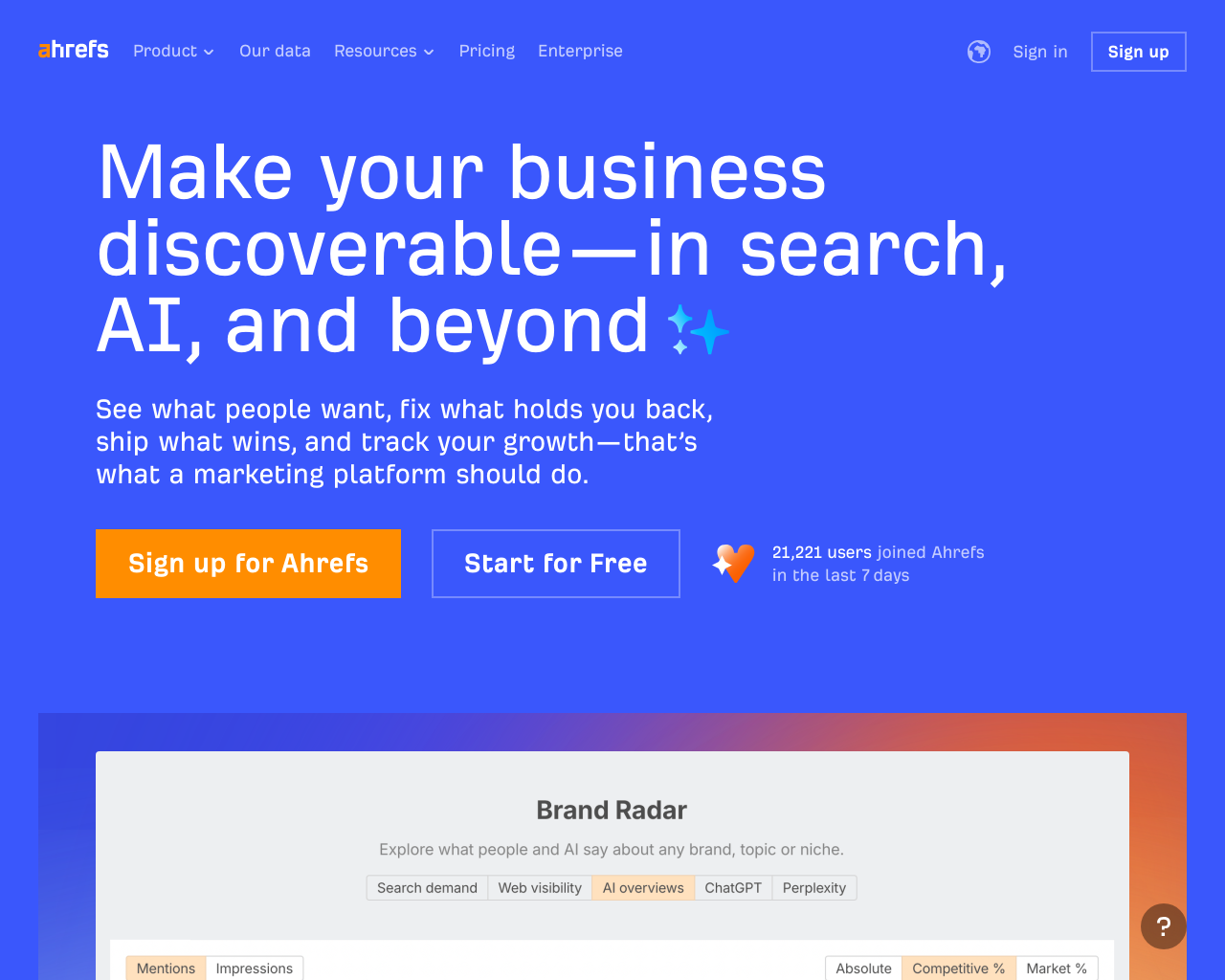
Screenshot
[ features ]
AI Engine Coverage
Coverage and support for various AI models, LLMs, and search engines.
List of AI models and LLMs supported for tracking (e.g., ChatGPT, Gemini).
How often metrics are updated (e.g., real-time, daily).
Support for tracking in multiple countries or regions.
Monitoring Metrics
Key performance indicators and analytics provided for brand presence.
Tracks brand mention frequency or share in AI responses.
Monitors brand's ranking or position in AI-generated results.
Analyzes tone and perception of brand in AI outputs.
Compares brand performance against competitors.
Identifies sources cited in AI responses for the brand.
Optimization Tools
Features for improving brand presence through content and strategy adjustments.
Provides tailored suggestions for content to boost AI visibility.
Pre-built templates for AI-optimized content formats.
Allows users to define and track custom customer-like queries.
Human oversight in AI-generated content workflows.
Integrations and Pricing
Ecosystem compatibility, extensibility, and cost structure.
Pre-built connections to popular tools.
Offers a free trial period for testing.
Publicly listed pricing without requiring contact.
Single Sign-On integration for teams.
Compare With
Reviews
No reviews yet. Be the first to review Ahrefs!