
PromptShuttle
Featured Revuo-affiliated verified 4 oct 2026Agent Orchestration API
TL;DR
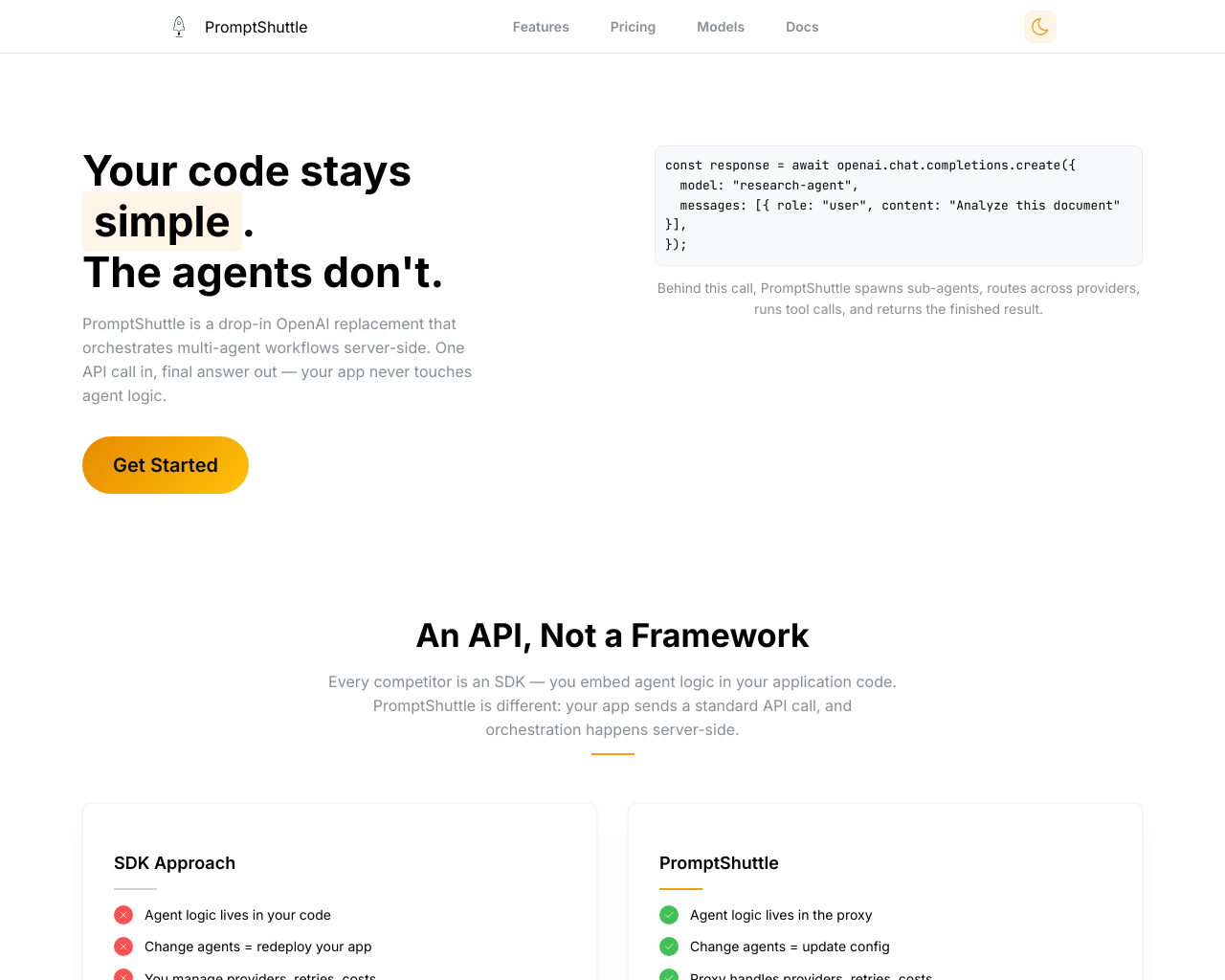
PromptShuttle is an agent orchestration API and LLM proxy that enables teams to build, chain, and run multi-agent workflows behind a single OpenAI-compatible endpoint. Built for SaaS platforms, platform teams, and agencies, it eliminates client-side SDK complexity by handling model routing, retries, and tool execution entirely server-side. Its key differentiator is allowing dynamic prompt and workflow updates via dashboard configuration or MCP servers without redeploying application code.
What Users Actually Pay
No user-reported pricing yet.
Our Take
PromptShuttle occupies an emerging niche in LLM infrastructure by decoupling agent execution logic from client application code. Rather than embedding complex orchestration in client SDKs like LangChain or CrewAI, PromptShuttle manages agent graphs, multi-turn tool loops, and fallbacks in a managed proxy layer. This architecture allows developers, platform teams, and product managers to iterate on prompt chains, switch model providers, and tune routing logic without shipping new application deployments. The platform offers solid technical foundations, notably an OpenAI-compatible /chat/completions drop-in endpoint, Model Context Protocol (MCP) server support, sub-agent spawning, and critique-refinement loops. It addresses operational SaaS challenges through multi-tenant isolation, tenant-level budget ceilings, and step-by-step execution tree observability across OpenAI, Anthropic, Google, Groq, and DeepSeek. However, shifting orchestration to an external proxy introduces infrastructure dependencies and potential latency overhead for latency-critical workloads. While caller-hosted HTTP endpoints allow custom tools, workflows that require tight coupling with local memory or complex low-level state machines may face constraints compared to self-hosted frameworks. Additionally, as an early-stage product founded in 2024, its community ecosystem and pre-built SaaS connectors are still developing. PromptShuttle is best suited for engineering teams building multi-tenant AI products, AI coaching systems, content pipelines, and customer support workflows that require multi-provider resilience and rapid prompt iteration without continuous redeployments.
Alternatives
Ranked by Revuo score — paid tiers never affect order.


Pros
- + Server-side agent orchestration allows updating prompts, sub-agents, and workflows without redeploying client application code (based on documentation).
- + OpenAI-compatible drop-in endpoint enables seamless integration into existing SDKs by changing only the base URL and API key (based on documentation).
- + Native support for Model Context Protocol (MCP) servers and automated multi-turn tool calling loops (based on documentation).
- + Multi-provider routing and automated fallback chains across OpenAI, Anthropic, Gemini, Groq, DeepSeek, and xAI (based on documentation).
- + Granular multi-tenant cost controls, per-request budget ceilings, and execution tree observability (based on documentation).
Cons
- - External proxy architecture introduces a third-party network dependency and potential latency overhead (based on documentation).
- - Lacks native pre-built marketplace integrations for no-code platforms like Zapier, Make, and n8n (based on documentation).
- - Executing custom caller-hosted tools requires hosting public HTTP endpoints and handling origin verification headers (based on documentation).
- - Early-stage product ecosystem with limited community-contributed templates and third-party extensions compared to older frameworks (based on documentation).
Agent Readiness
50/100PromptShuttle provides high readiness for AI agents and developer workflows through its OpenAI-compatible REST API, native Model Context Protocol (MCP) server support, and automated multi-turn tool execution. It supports caller-hosted webhooks, virtual tools, structured JSON schema outputs, multi-environment lifecycle management (dev/staging/prod), and visual execution tree observability. While it lacks pre-packaged no-code connectors for Zapier or Make, its standard HTTP proxy interface allows seamless integration with existing AI frameworks and SDKs.
Last checked Sep 12, 2026
MCP Integrations
1 server14 toolsNeeds a self-provisionable API key
Prompt management, LLM routing, agent coordination, tool call to webhook proxy
14 tools
modify_toolModifies an existing function-calling tool. Only fields that are explicitly provided will be updated (partial update). Returns the updated tool.list_flowsLists all flows in the tenant.activate_flow_versionActivates a flow's version for an environment, making it live for API calls. Activates the latest version by default, or a specific version by ID. The entrypoint template must have a model configured (set one via update_flow_template) — activation fails otherwise. Activation locks the version (it becomes read-only; editing it again forks a new draft). Returns the environment -> version mapping after activation.create_flowCreates a new flow in the tenant. A flow groups versioned prompt templates. The new flow starts with an editable draft version containing one empty 'main' template — set its prompt afterwards with update_flow_template. Returns the created flow with its ID and generated name (slug).list_toolsLists all function-calling tools in the tenant. Returns ID, name, description, tool type, and type-specific summary fields.run_inferenceRuns a single real LLM inference directly against a model (no flow), and returns the model's response plus token usage and cost. This EXECUTES a billed provider call and consumes tenant credits. Useful for testing a model/prompt, comparing reasoning-effort levels, or reproducing behavior. The returned runId can be passed to get_run for the full per-iteration detail. For server-side tool execution and multi-step agents, run a flow instead.list_runsLists recent ShuttleRequests (LLM invocations) for debugging. Optionally filter by flow name. Returns up to 50 recent runs (summary fields only). Pass a returned run Id to get_run to inspect its full detail (conversation, responses, errors).get_flowGets full flow details including prompt templates from the active version. Falls back to the latest version if no version is activated. Use environment parameter to specify which environment's active version to retrieve. If omitted and the flow has exactly one environment, it is auto-selected.cancel_all_runsEMERGENCY STOP: stops EVERY run currently executing for the tenant, including runs started by other users and by other applications. Use this when something is burning credits and identifying the specific run would take too long — otherwise prefer cancel_run. Same timing as cancel_run: runs stop at their next checkpoint, not instantly.update_flow_templateUpdates a template's prompt text, model, response schema, and/or tool assignments in the active or latest version. If the version is locked, automatically forks it first (the fork is a draft — activate it via the UI or API). Falls back to the latest version if no version is activated. Returns confirmation with version ID and whether a fork was created.get_runGets the full debugging detail of a single run (a ShuttleRequest / LLM invocation) by ID. Use list_runs to find run IDs, then this to inspect one. Returns: run metadata (status, model, timing, cost, agent-tree position, callback origin); the per-iteration inference requests and provider responses (model, provider, timing, token usage, assistant text, tool calls); one row per tool call naming the endpoint it was actually placed against and where that origin came from (tool / environment / callback); the resolved conversation (system/user prompts plus tool calls and their results); any errors (including tool calls that returned an HTTP error to the model); the immediate child agent runs (for agentic flows — call get_run on a child ID to drill down); and feedback. Optionally include the streaming event timeline. IMPORTANT: check Run.Outcome, not Run.Status — a run that answered while every tool call returned 502 is Status=Succeeded but Outcome=succeededWithWarnings, and Run.Warnings says why. Outcome is one of: running, cancelling, cancelled, succeeded, succeededWithWarnings, failed. 'cancelled' means somebody stopped the run and its answer is partial; 'running' means it is still executing and can be stopped with cancel_run. Run.Progress appears only when the flow opted into verification: a verifier model graded how far the run got (Score, 0-1) and how sure it was (Certainty, 0-1), with Lowest being the worst reading. Its ABSENCE means unscored, never a score of zero. Do not compare scores across runs with different Verifier values. Run.DetailDropped is true when the tenant's sample rate skipped persisting this run's prompt/response text — metadata is still here, Conversation and assistant text are not.create_toolCreates a new function-calling tool in the tenant. Provide name, description, parameters, toolType, and type-specific fields. toolType: External (REST endpoint), Virtual (provider-native like web_search), Agent (sub-agent), CritiqueLoop (producer+critic loop), Mcp (external MCP server). Returns the created tool with its ID.get_model_routingReads the tenant's LIVE model routing rules (virtual models) and shows what each alias actually resolves to, plus the capabilities of every model behind it. Use this before pointing a flow or template at a model name that is not in the model catalog: a routing alias looks exactly like a model name at the call site, but resolves per environment to an ordered list of real models — and under the random strategies to a different one on every run. The reported capabilities are what makes a rule safe or not: a rule whose models disagree on structured-output support, input modalities or logprobs is a rule whose behaviour changes with the dice roll, and 'capabilityMismatches' names those disagreements. Pass responseSchemaJson to check, without spending a run, whether a specific response schema survives on every model behind every rule.cancel_runStops a run that is currently executing, and every sub-agent it spawned. Use list_runs and look for Outcome 'running' to find candidates. NOT instant: the run checks for the signal between tool-calling iterations, so a model call already in flight finishes first — expect it to stop within one model turn. Whatever the run produced before stopping is still returned to its caller and still billed; cancelling saves the work that had not happened yet, not the work already done. Cancelling a run that already finished is harmless and reports signalled=0.
Last checked Oct 8, 2026
Screenshot
[ features ]
Prompt Management
Editing and tracking of LLM prompts
Allows to version prompts and track / compare different variants over time
Compliance & Security
Security certifications, compliance features, and access control capabilities.
SOC 2 Type I or Type II certification.
ISO 27001 information security certification.
Built-in tools for GDPR compliance (data export, deletion, consent).
Complete audit log of all data changes.
Granular permissions based on user roles.
Single Sign-On integration support.
AI Engine Coverage
Coverage and support for various AI models, LLMs, and search engines.
List of AI models and LLMs supported for tracking (e.g., ChatGPT, Gemini).
How often metrics are updated (e.g., real-time, daily).
Support for tracking in multiple countries or regions.
Orchestration Capabilities
Core features for coordinating and executing AI agent workflows.
Supports orchestration of multiple collaborating agents.
Maintains agent state and memory across interactions.
Automatically routes requests across multiple LLM providers.
Supports agents calling external tools or functions.
Deployment & Scalability
Deployment models and scalability features for production use.
Primary way to deploy and run the orchestration.
Supports multiple teams or users from single deployment.
Automatic scaling for high-load agent workflows.
Compatible with serverless/serverless-like deployments.
Observability & Monitoring
Tools for tracking performance, costs, and debugging agent runs.
Monitors and budgets LLM usage costs per run.
Detailed traces of agent steps and decisions.
Visual graphs or dashboards of agent flows.
Metrics like latency, throughput for agent executions.
Developer Experience
Tools and abstractions easing agent development and iteration.
No-code/low-code UI for designing agent workflows.
OpenAI API-compatible endpoints or SDKs.
Available as open-source with community contributions.
Programming languages with official SDK support.
Compare With
Reviews
No reviews yet. Be the first to review PromptShuttle!